Browse politics by topic
On this page
Politics topics sort the political news by subject. Each topic has a page with the latest headlines on it, and the bigger topics are split into subtopics so you can read more narrowly.
#Open a topic
-
Open Topics in the row of Politics sections.
-
Scan the cards. Each card is one topic, with a one-line description and links to its subtopics.
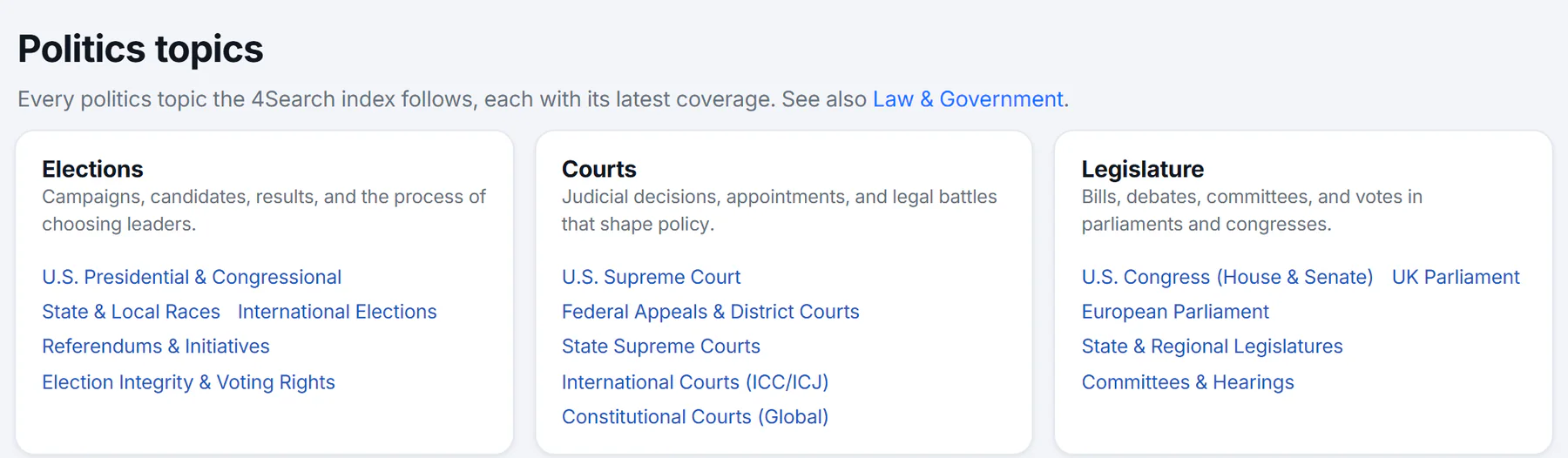
The Politics topics directory. Select a topic's name for its page, or one of its subtopics for narrower coverage.
- 1A topic: select it for its news
- 2A subtopic: narrower coverage
- 3When a topic has more subtopics, a link shows how many
- 4Law and Government topics are listed separately
-
Select a topic's name, or a subtopic, to open its page. When a topic has more subtopics than the card can show, a link such as and 8 more opens the topic page, where all of them are listed.
The sentence under the title also links to Law & Government, a second set of topics with the same layout that covers law and government more broadly.
#A topic's page
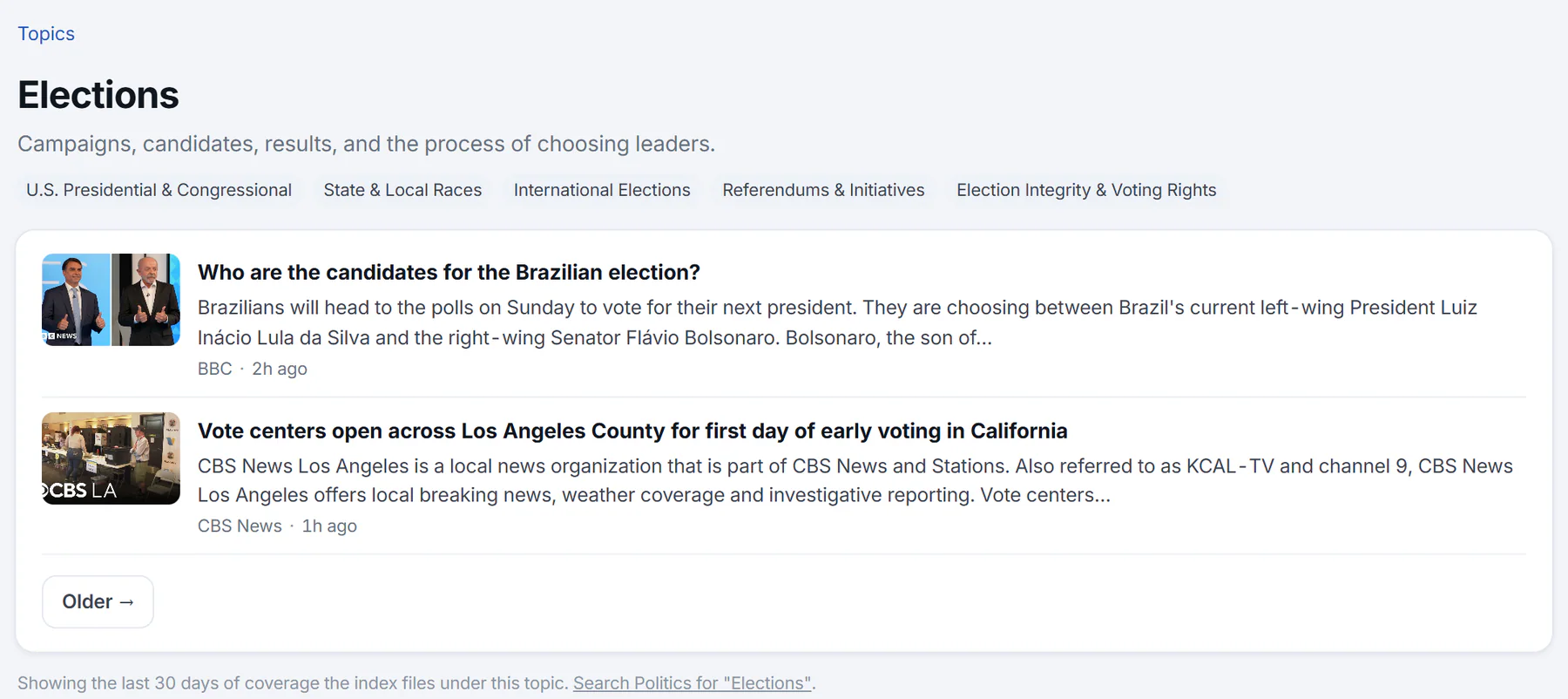
A topic page: the way back to all topics, the topic's name and description, its subtopics, and the latest headlines.
- 1Back to all topics
- 2Subtopics: narrower coverage
- 3A headline: opens the publisher's page
- 4Older headlines
- 5How far back the list goes
A topic page shows:
- A trail at the top. Topics takes you back to the directory, and each topic above this one in the trail is a link.
- The topic's name and its description.
- Subtopics, as tags, when the topic has any.
- The latest headlines the news index files under the topic, newest first. Each shows a short snippet and a picture when there is one, with the source and how long ago it was published. A headline opens the publisher's page in a new tab.
- Older and Newer, to move through more headlines.
- A note at the bottom saying how many days of coverage the list covers, and a link that searches Politics for the topic's name.
An AI Overview may appear above the headlines. If the index has nothing on the topic for the period, the page says so.
The overview page has a Topics card in the side column that links to the main topics, and the Latest political news card links to this directory.
#Common questions
How is this different from the Topics tab?
The Topics tab covers every subject the site follows. The topics in Politics are the Politics and Law & Government topics from that set, shown inside Politics. For how topics work across the site, see Topics.
How far back does a topic page go?
The note at the bottom of the page says how many days it covers. It is at most 30.
Can I follow a topic in Politics?
The Politics following list holds members, committees, bills, races and markets. To follow a topic and see it on your own front page, see Follow topics.
Why does a topic page say there is nothing?
The news index had no matching coverage for that topic in the period shown. The page may fill in as new stories arrive.